

What is the Misleading Traffic Shield and how to activate it?
To help you prevent misleading affiliate traffic and gain better visibility over how your offers are promoted, we introduced the Misleading Traffic Shield feature. It allows you to identify the exact landing pages used by affiliates to generate conversions, giving you the tools to monitor traffic quality and ensure compliance with your network rules.
The Misleading Traffic Shield is a specialised tool designed for compliance, anti-fraud and affiliate traffic optimisation. It allows you to inspect affiliate landing pages to ensure all content—such as images, design, and copywriting—remains compliant with your affiliate network’s terms and conditions.
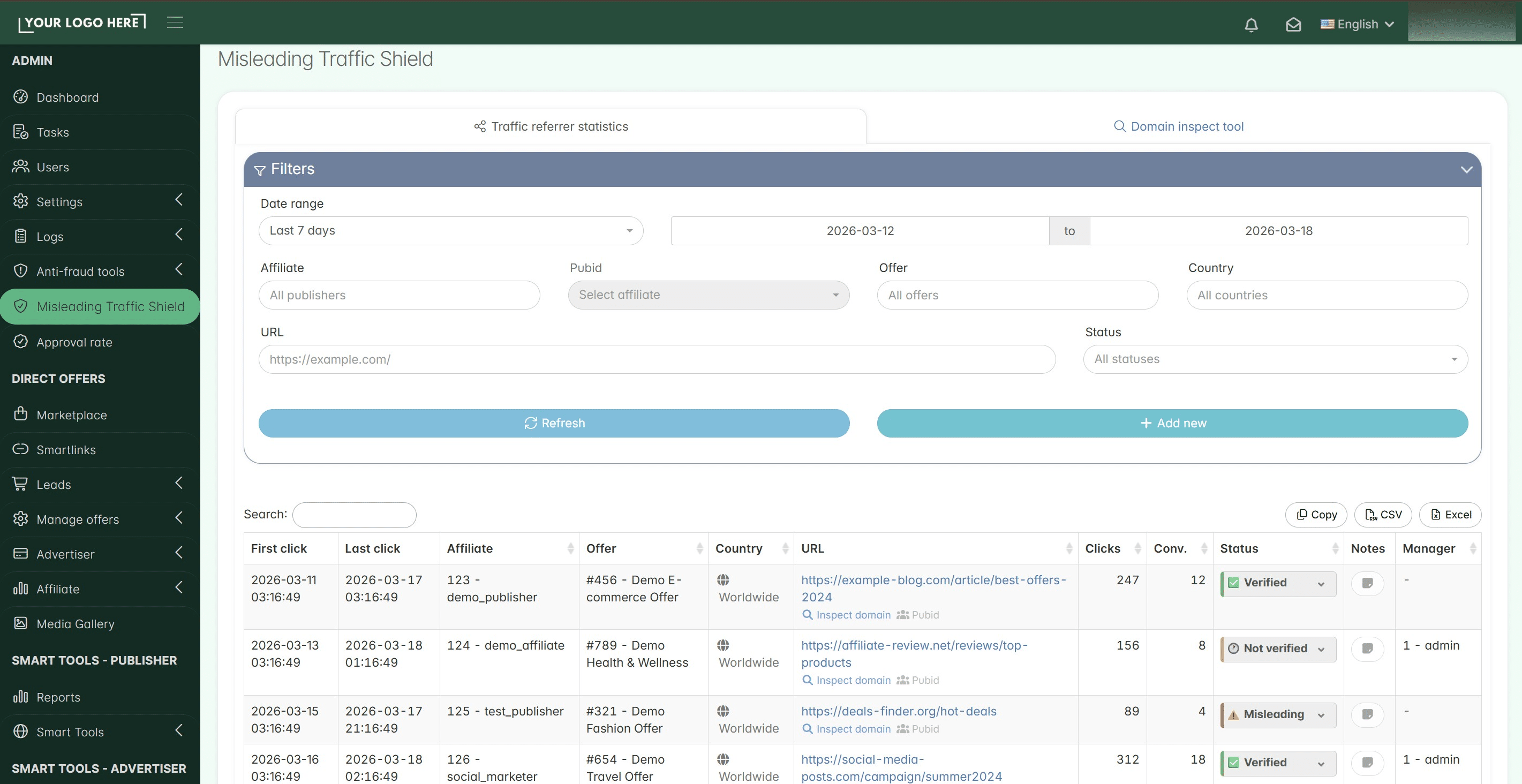
Please note that the Misleading Traffic Shield feature is a separate product and is not included in any TrafficManager subscription.
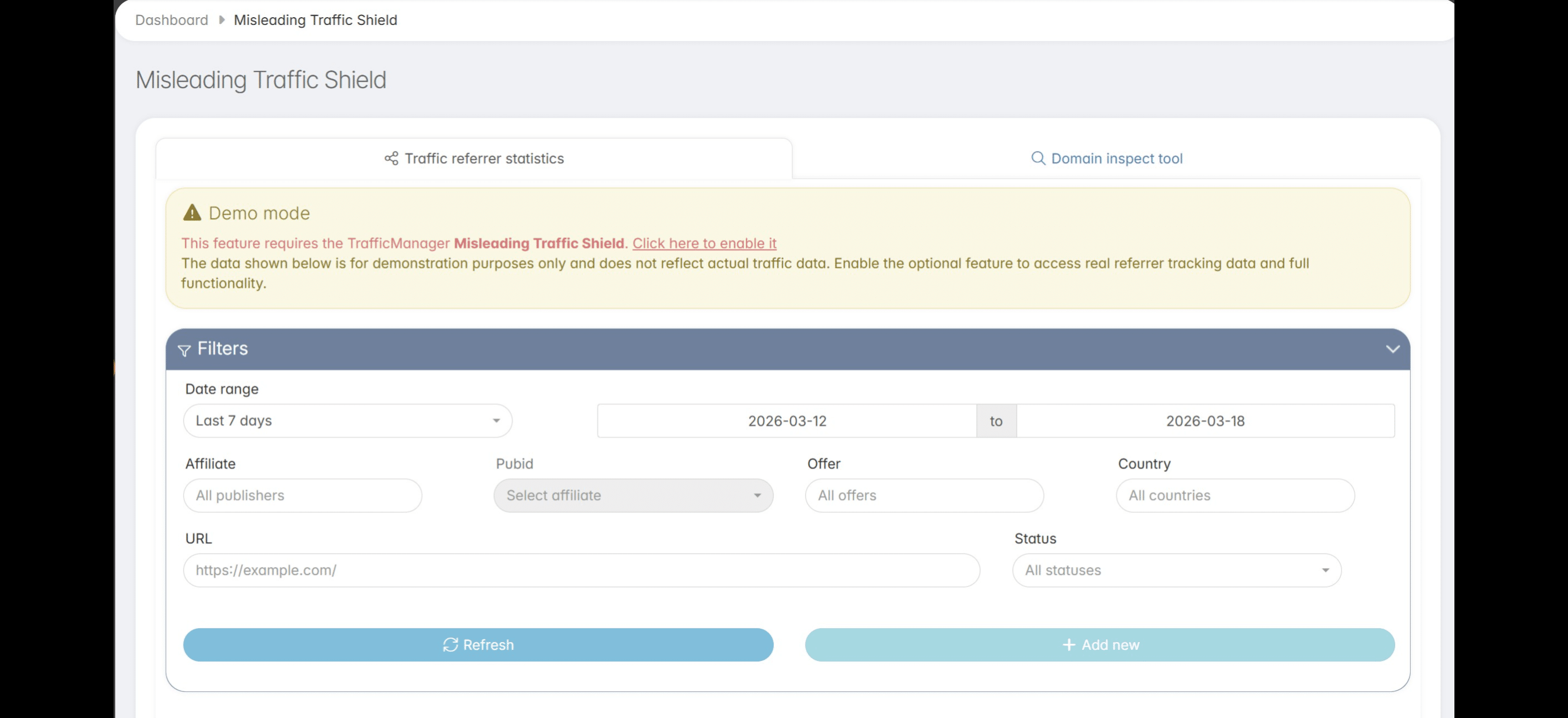
To activate the Misleading Traffic Shield feature, click the Enable button. You will be redirected to your TrafficManager client dashboard.
** feature, click the **Enable** button. *You will be redirected to your TrafficManager client dashboard.*](https://assets.guidejar.com/uploads/a4aa7ce4-147d-434d-8ed7-4c4533ac120e/J1rdTJNv0YaJBNobbniPX27cJwy1/0e52c37a-3126-489e-abb7-1ca33963fe86/1773808098436.jpeg)
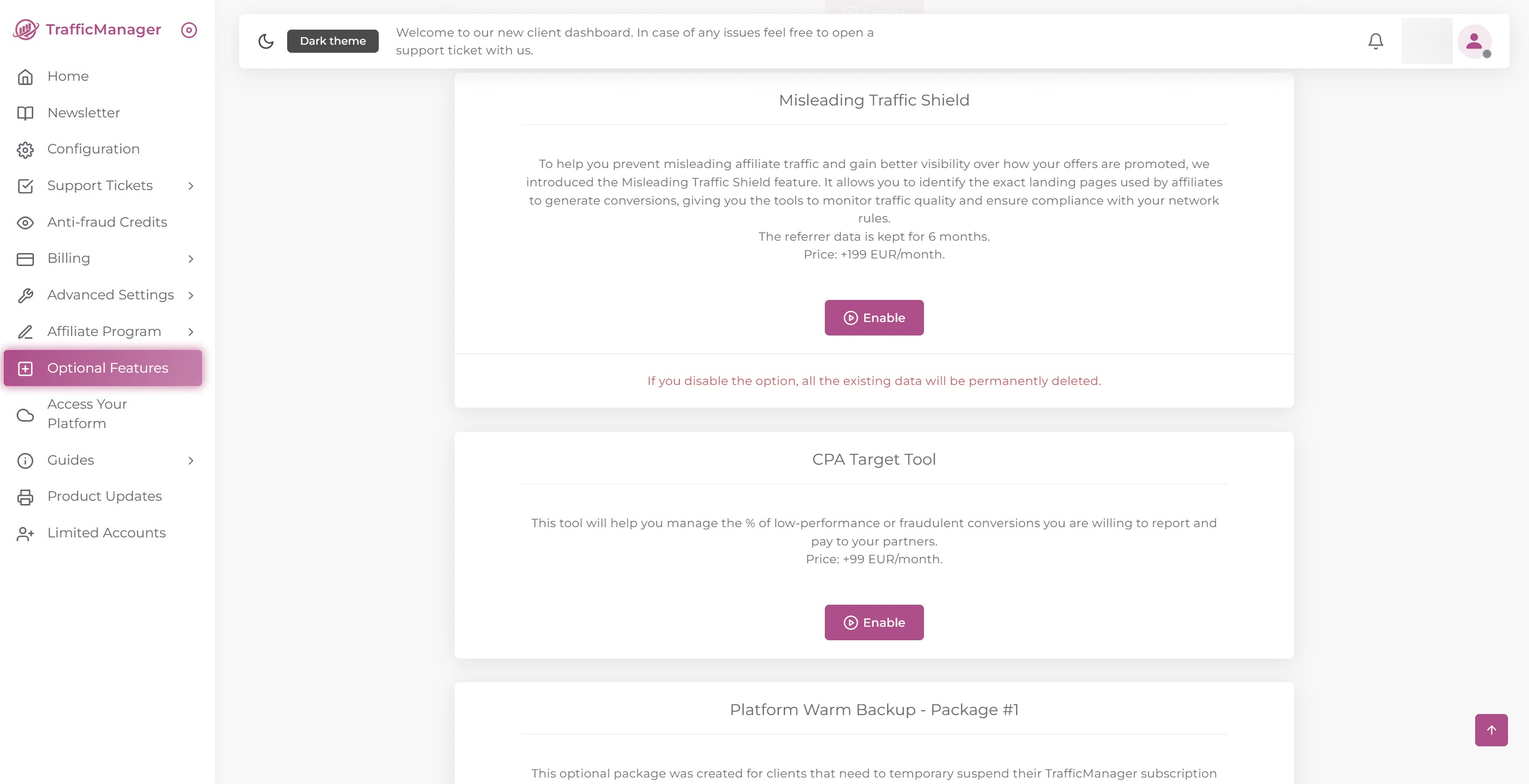
Once you are on the Optional Features page in your client dashboard, click on "Enable". An invoice will be automatically generated. After the payment is completed, the feature will be activated within a few minutes in your TrafficManager platform.
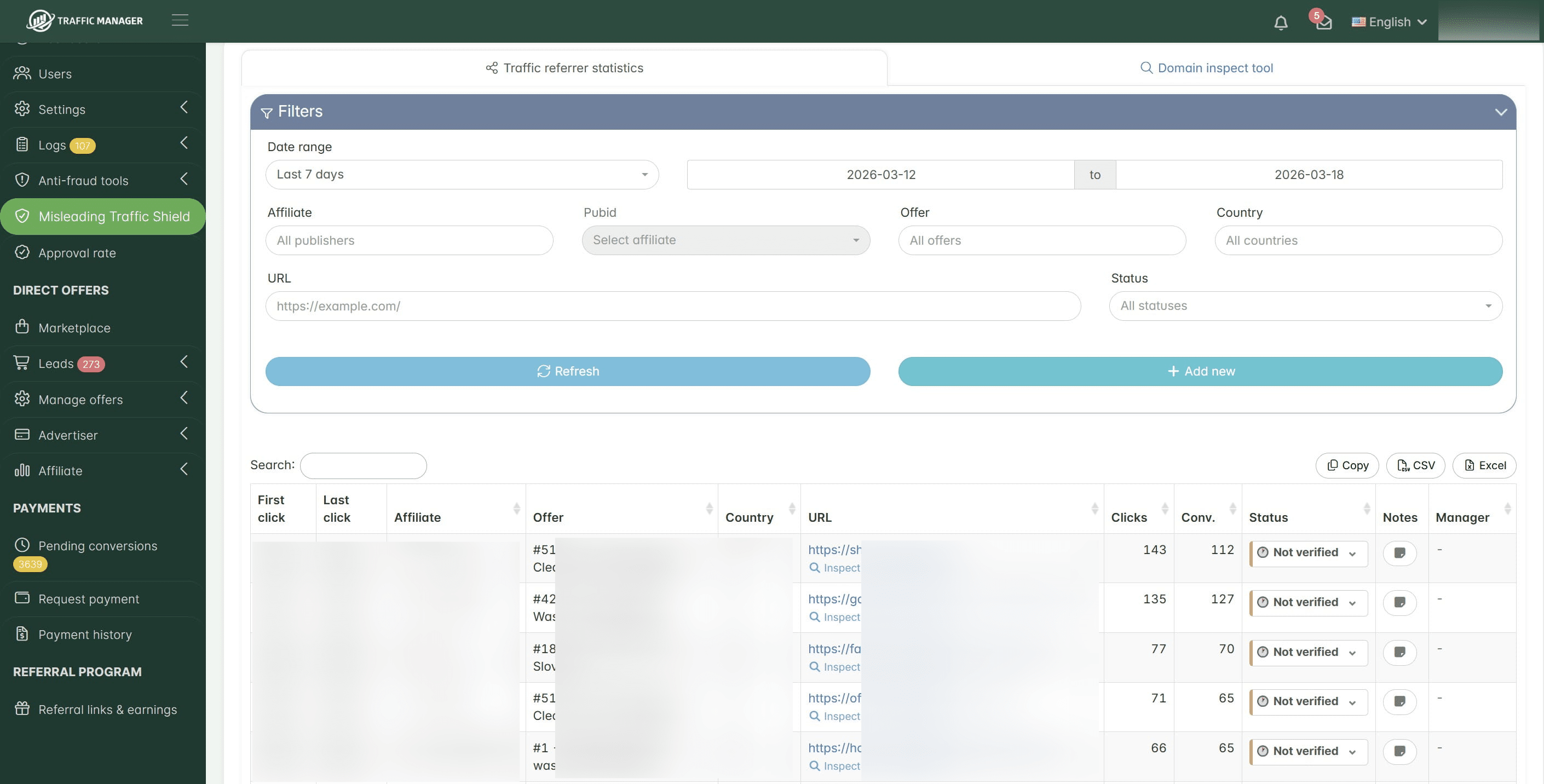
Once active, you will be able to see in the Misleading Traffic Shield section an overview of the affiliate landing pages generating your sales, helping you ensure they are compliant with your terms and conditions. Here you can also see detailed statistics about the sales generated by each affiliate landing page, along with additional related data.
IMPORTANT: To track traffic sources correctly, we collect data from affiliates in two ways, depending on the offer type and the promotion method used by the affiliates.
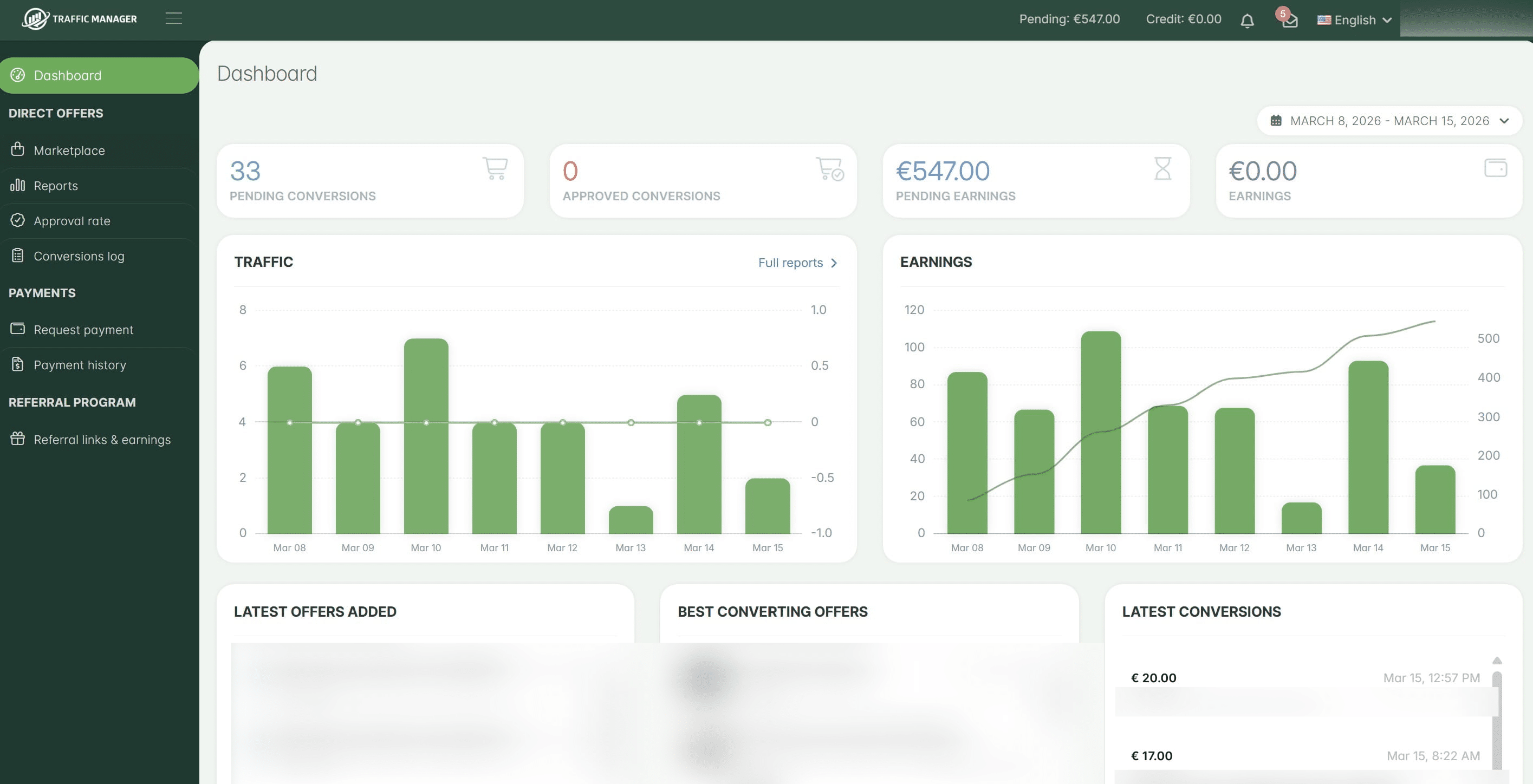
- For offers with products (Cash on Delivery (COD) / Lead Collector): The traffic referrer is collected by the fingerprint system, which is integrated into both the iframe and the HTML forms.
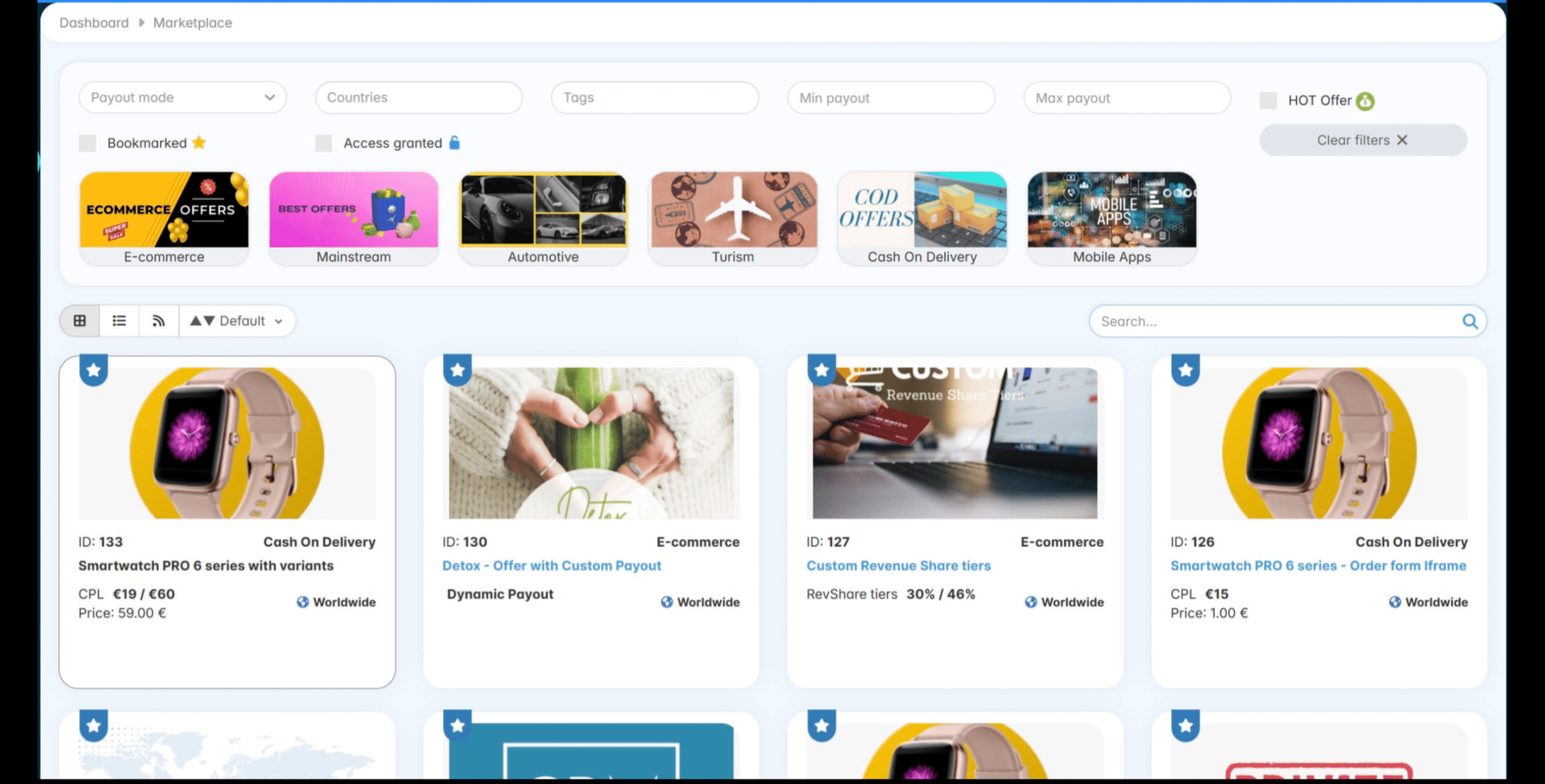
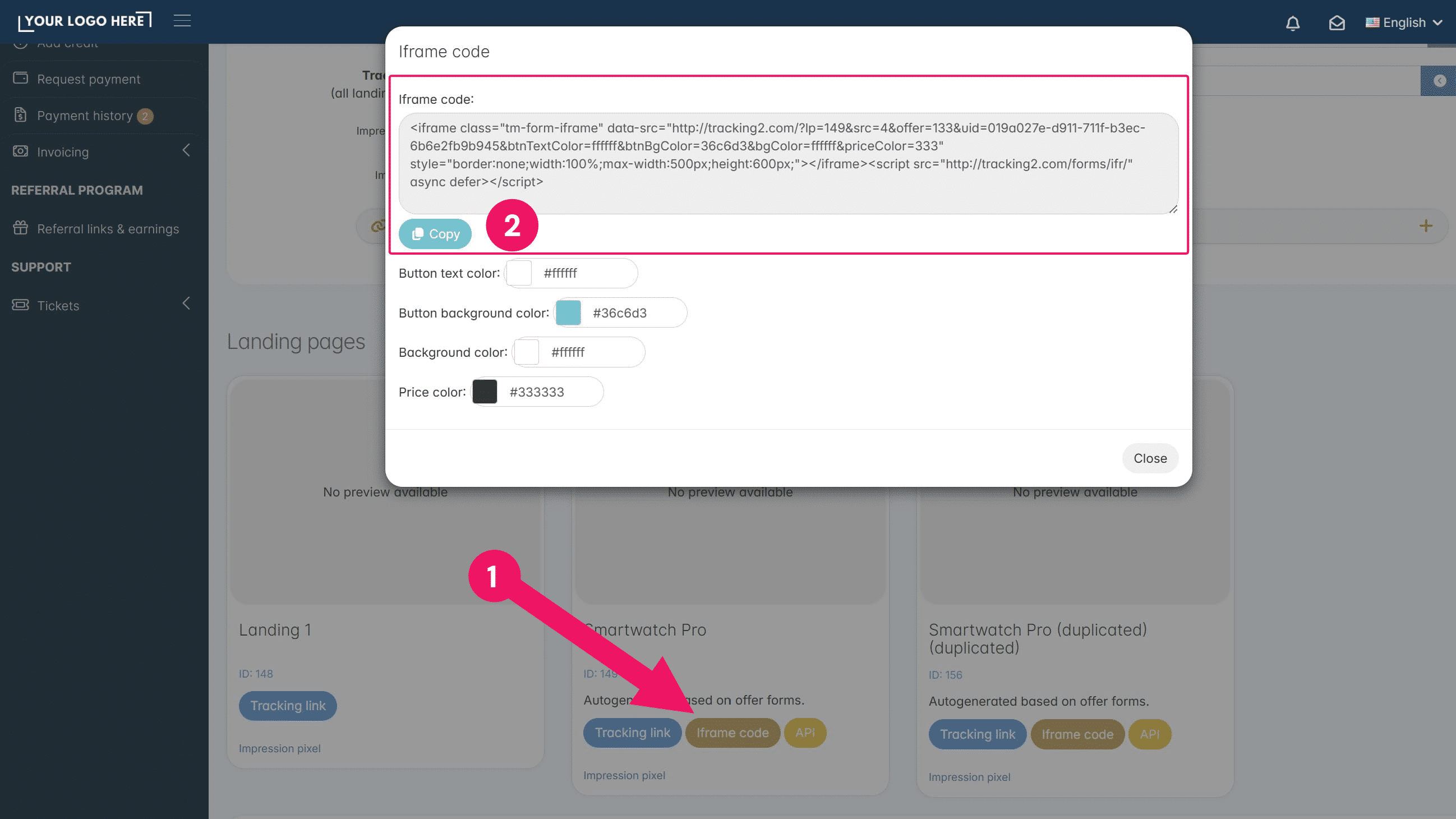
Affiliates can find the HTML code for their landing page directly in their dashboard. Simply open any COD offer (or any offer with the Lead Collector enabled)
And click on the Iframe Code button.
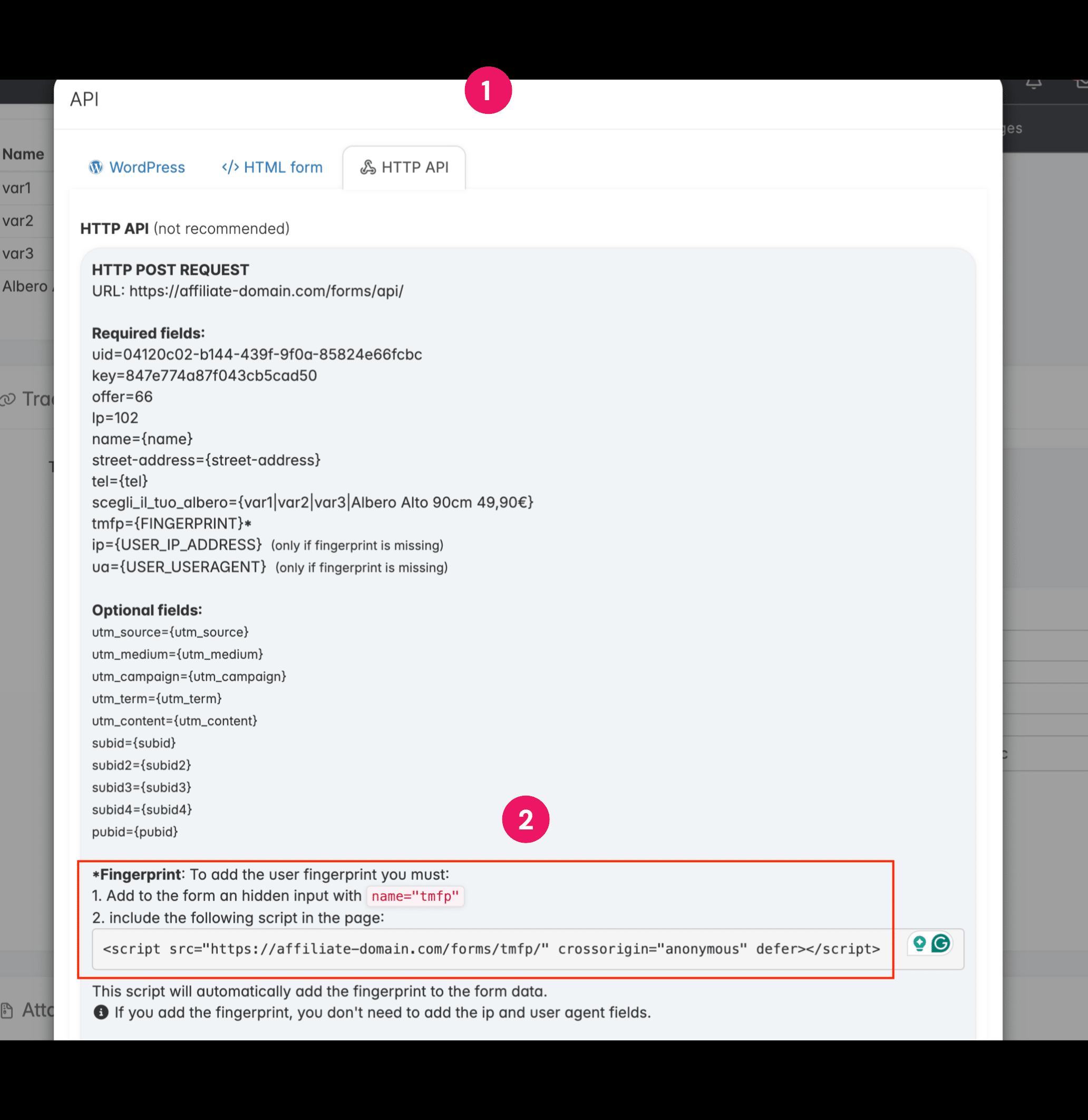
For API integrations, including third-party collectors such as Make, Zapier, or n8n, etc., affiliates can find a <script> tag in the Offer API section. This script should be copied and pasted on the landing page(s) where the form is located.
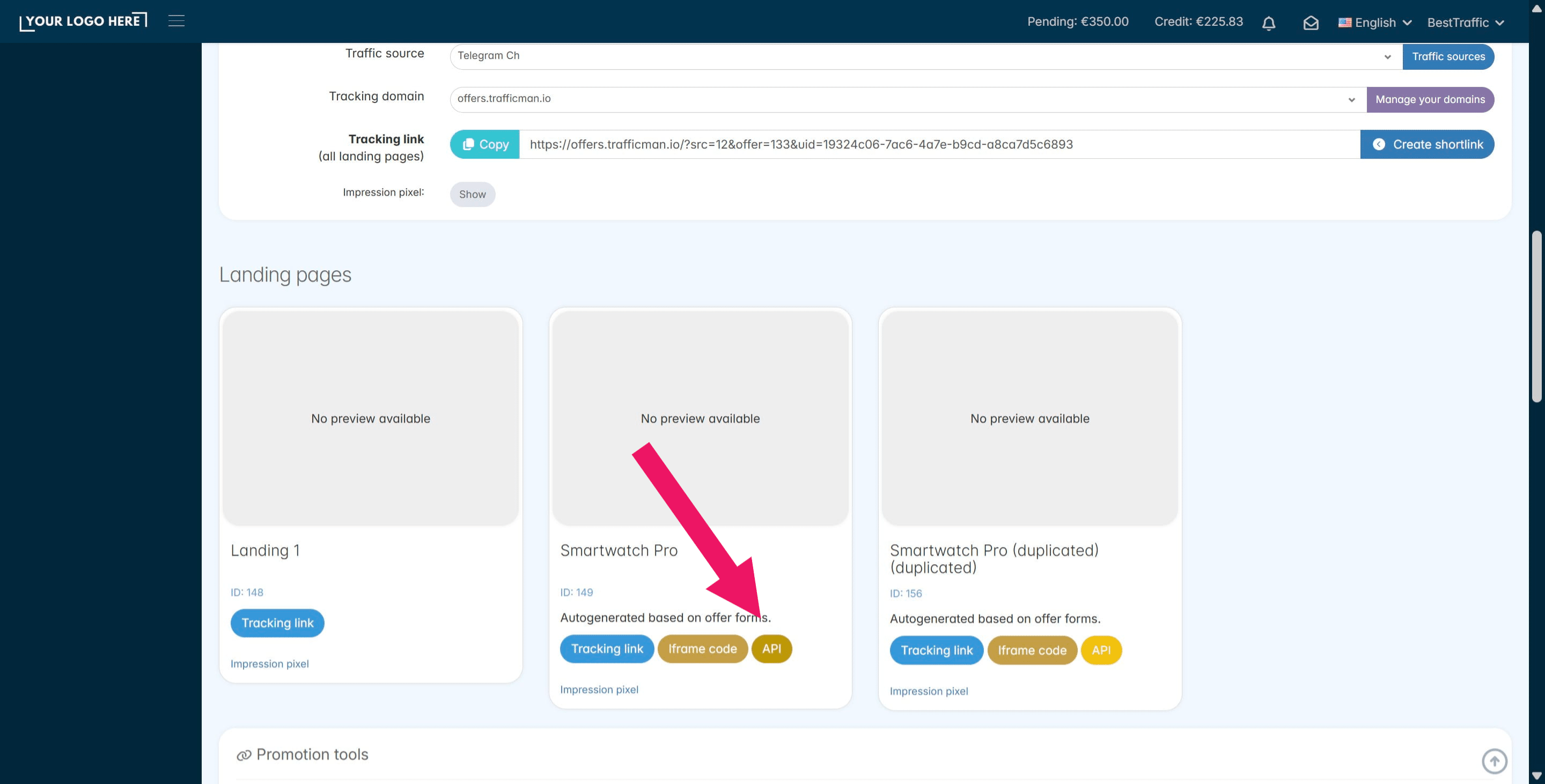
The same script applies to all the offers they promote within your affiliate network (No matter which offers they are promoting)
For affiliates using the official TrafficManager Shopify plugin, both the fingerprint and the traffic referrer are collected automatically once the feature is activated, with no action required on their side.
**, both the fingerprint and the traffic referrer are collected automatically once the feature is activated, with no action required on their side.](https://assets.guidejar.com/uploads/a4aa7ce4-147d-434d-8ed7-4c4533ac120e/J1rdTJNv0YaJBNobbniPX27cJwy1/a5e93500-feaa-4fb4-924f-5075349d5152/1773551822529.jpeg)
- For offers promoted via tracking link: If the affiliate promotes your affiliate network tracking link directly on Meta/Google/TikTok, etc., we are able to read the source of the traffic from the HTTP referrer, so the traffic source will correctly appear as coming from Instagram/Facebook, YouTube, Google Search, etc.
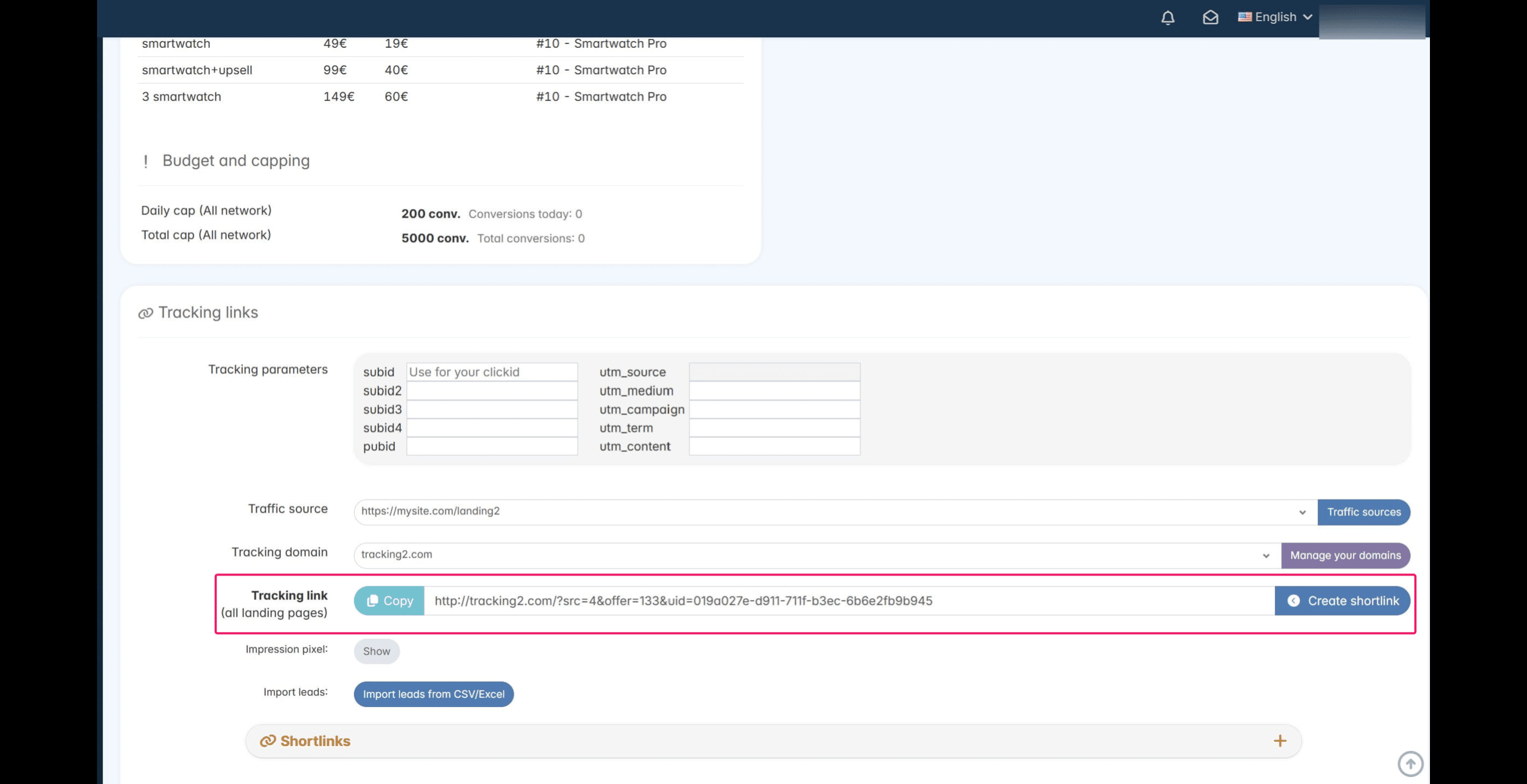
If the affiliate uses a pre-lander, meaning a page hosted on their own domain, they must add our trk.js script to their page in order to detect the traffic source and the full URL of the landing page.
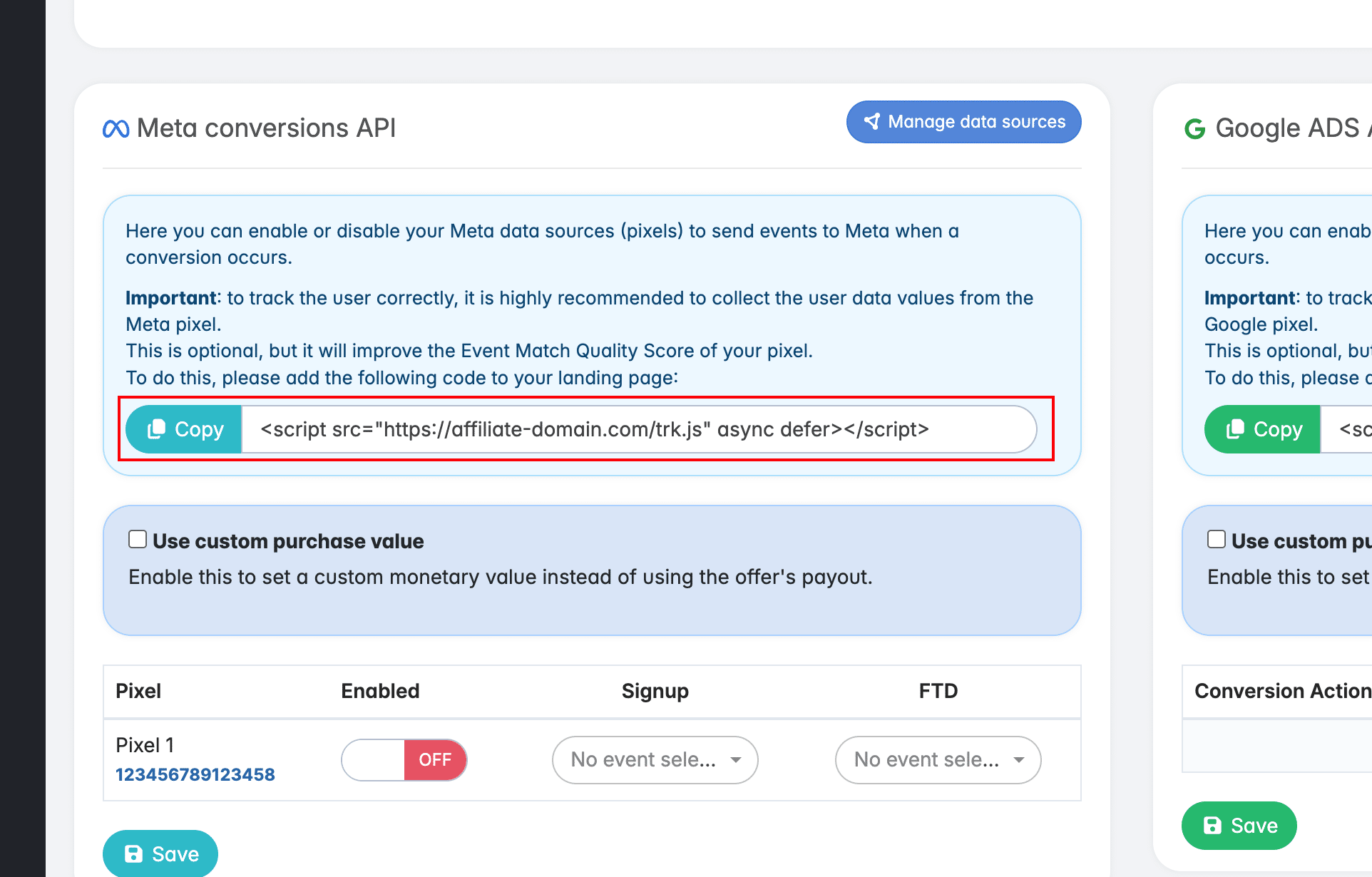
The affiliates can find this script at the bottom of the offer page in the Meta CAPI / Google Ads API section. This is the same script that enables affiliates to send conversions to Meta and Google via the Conversion APIs. It is a global script and must be used on all landing pages promoting your offers.
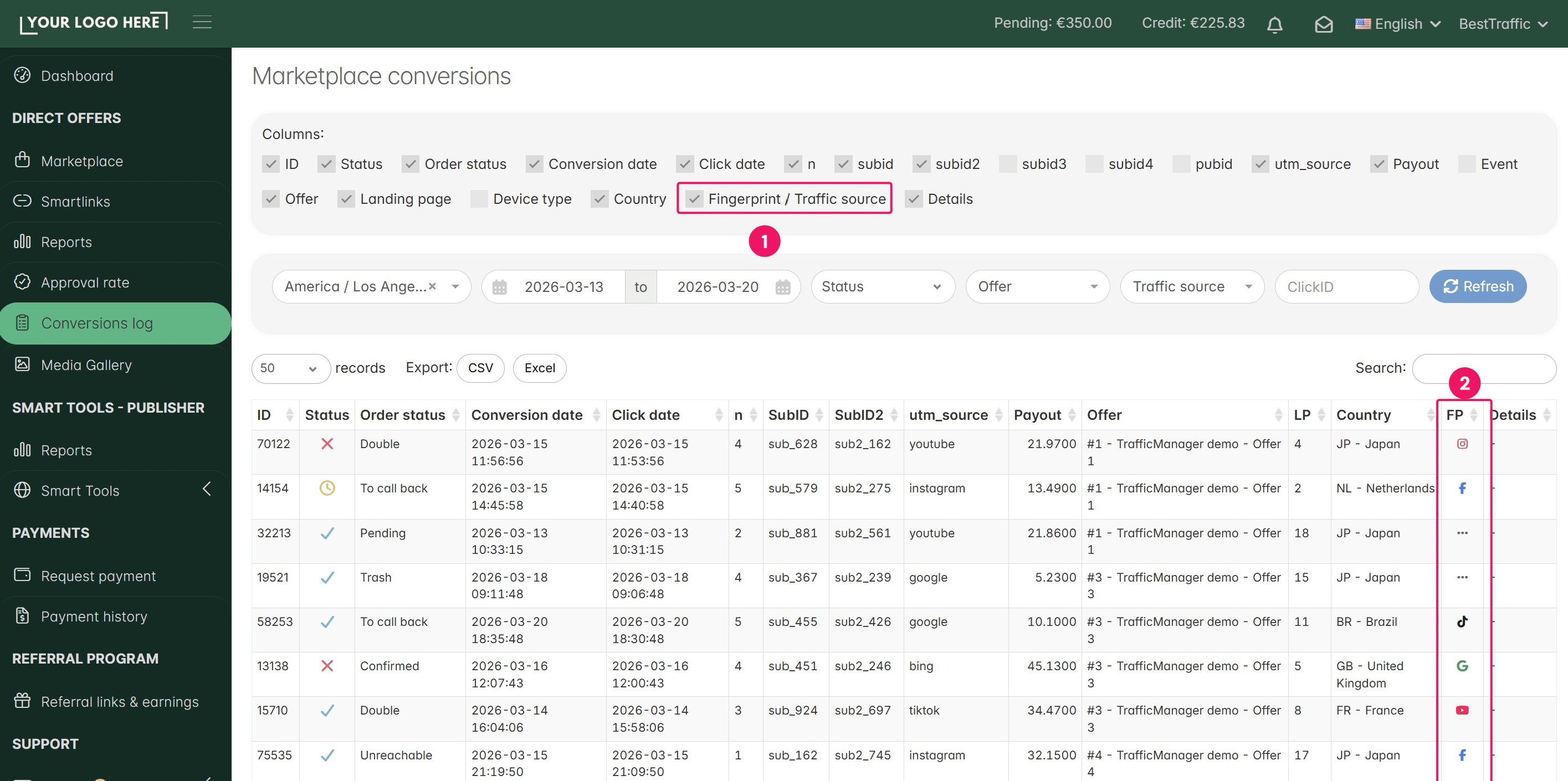
Affiliates can easily check if they are sending any conversions without the fingerprint by simply accessing the Conversion Logs page and activating the Fingerprint Traffic Source filter. Here, they can also double-check the traffic source reported for each conversion.
To check from the Admin panel which of your affiliates are sending traffic without the fingerprint, open the Anti-fraud menu. Then open the Fingerprint reports page
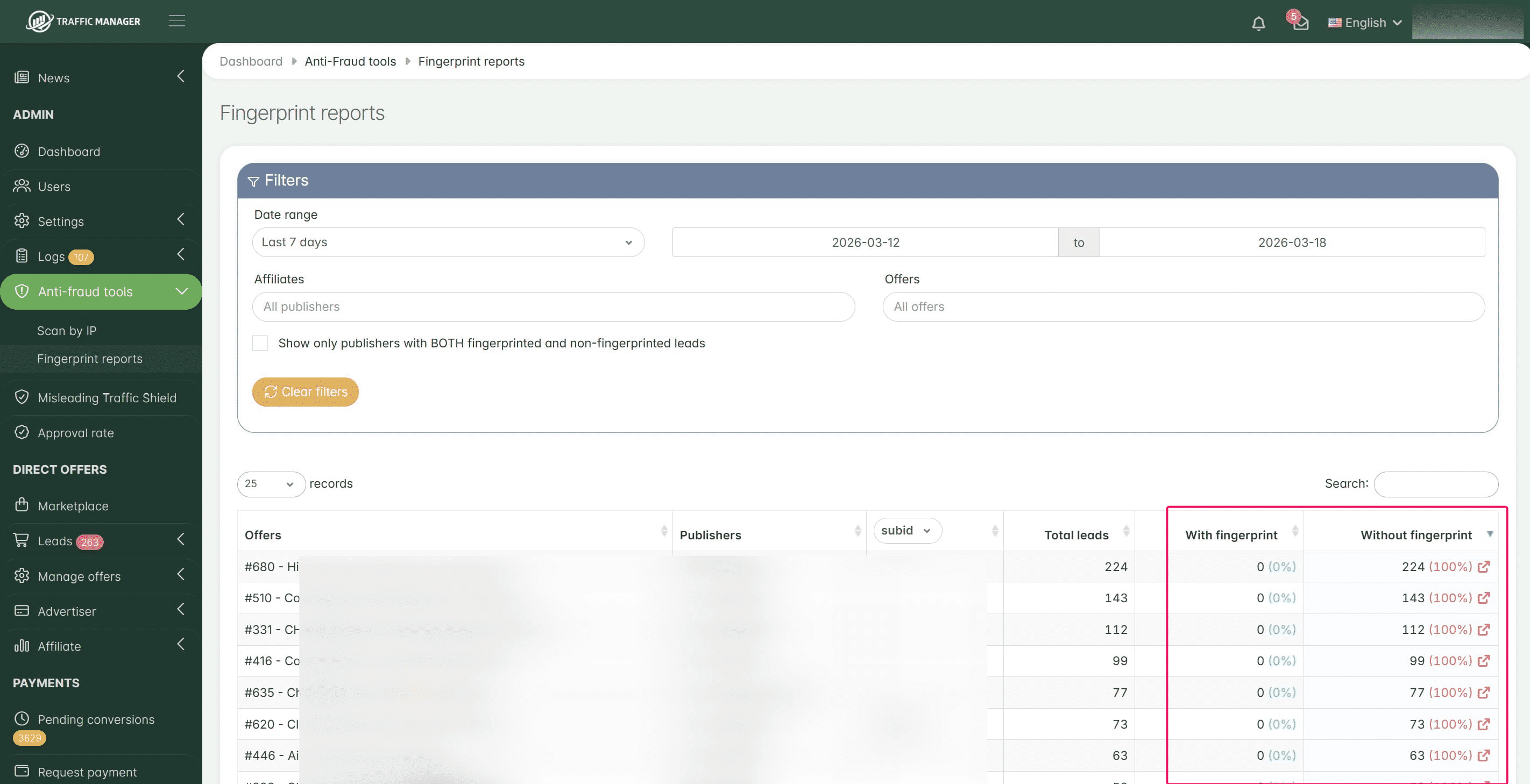
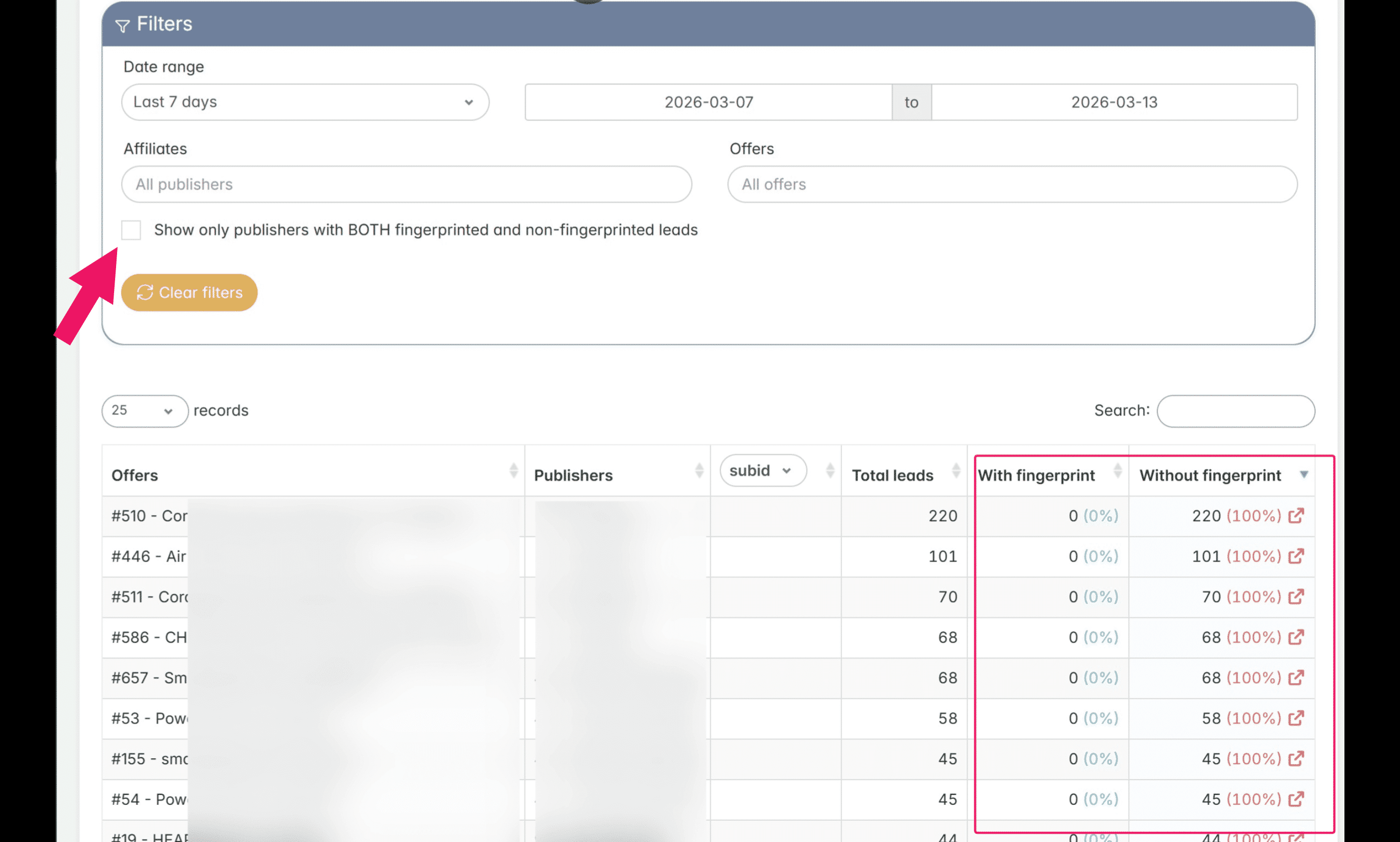
Here you can view a complete report of all received fingerprints, filtered by affiliates (publishers) and offers. This helps you easily identify affiliates who are sending traffic without a fingerprint.
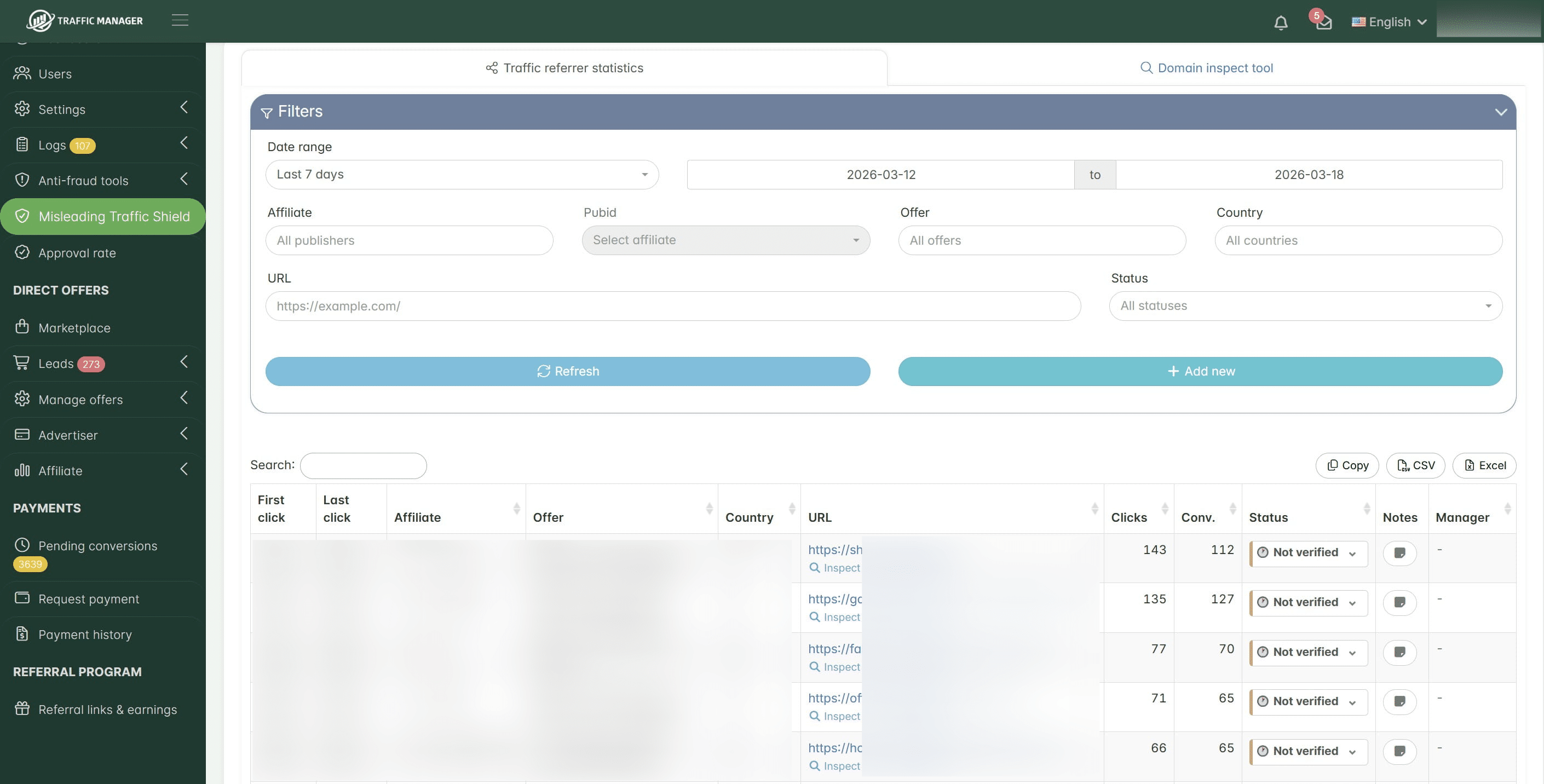
Once your affiliates start sending conversions with the fingerprint as described in the steps above, you will be able to see the landing pages generating your sales in the Misleading Traffic Shield section and check if they are compliant with your terms and conditions. Please take some time to study this section, as it will become the backbone of your protection against misleading traffic. It provides detailed statistics about the sales generated by each affiliate landing page, direct links to these landing pages, secure screenshots, and other related data.
Note: If you notice another TrafficManager platform URL in the publishers list without additional details, it means that the respective platform is not sending fingerprint data. To receive this information, you will need to ask that platform to send traffic with fingerprint data as instructed above.
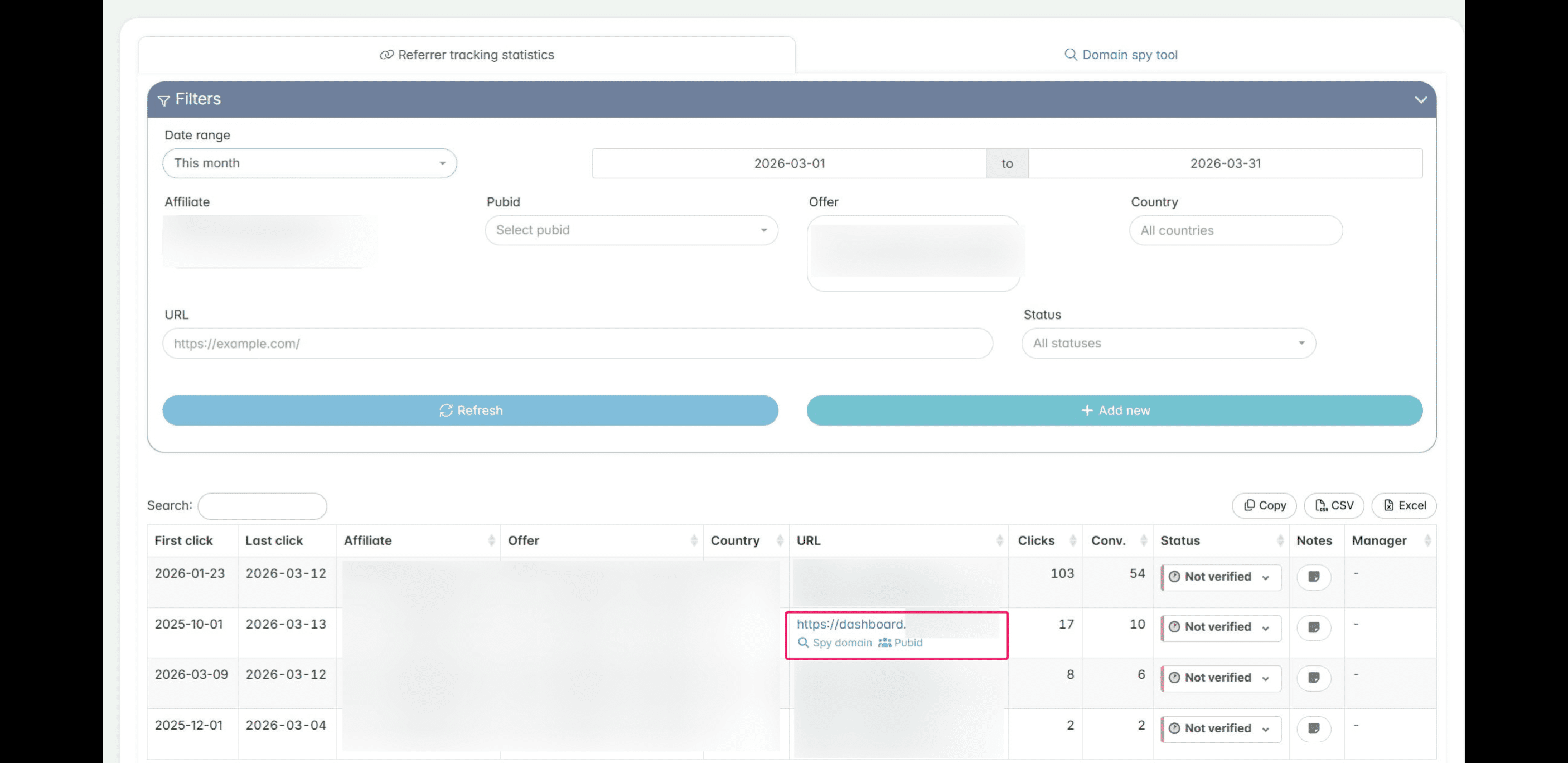
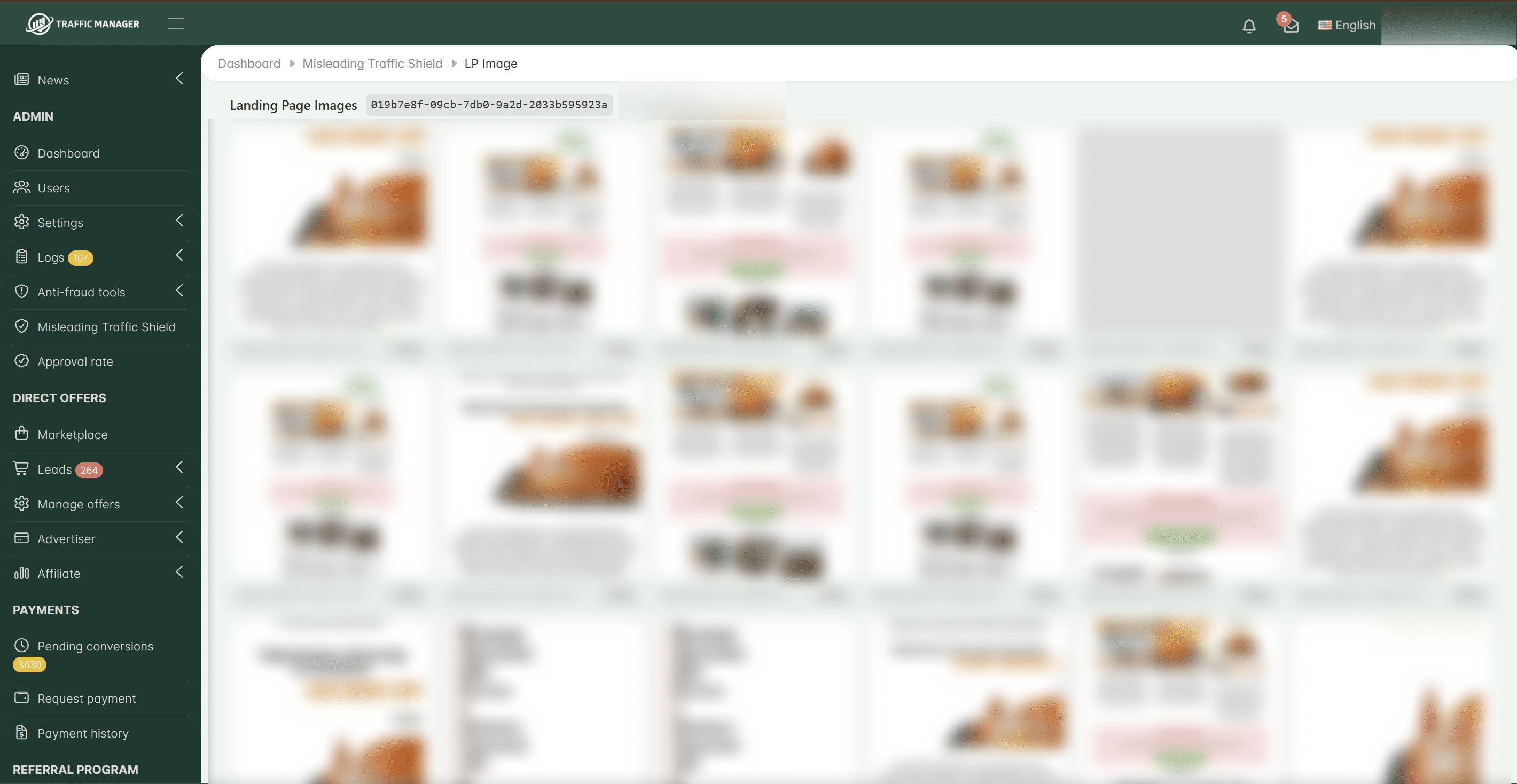
Once a TrafficManager client starts sending traffic with fingerprint data, you will be able to see screenshots of the landing page(s) generating the sale(s). This allows you to understand exactly what the final user saw at the moment the order was placed and check whether the partner is compliant with your terms and conditions.
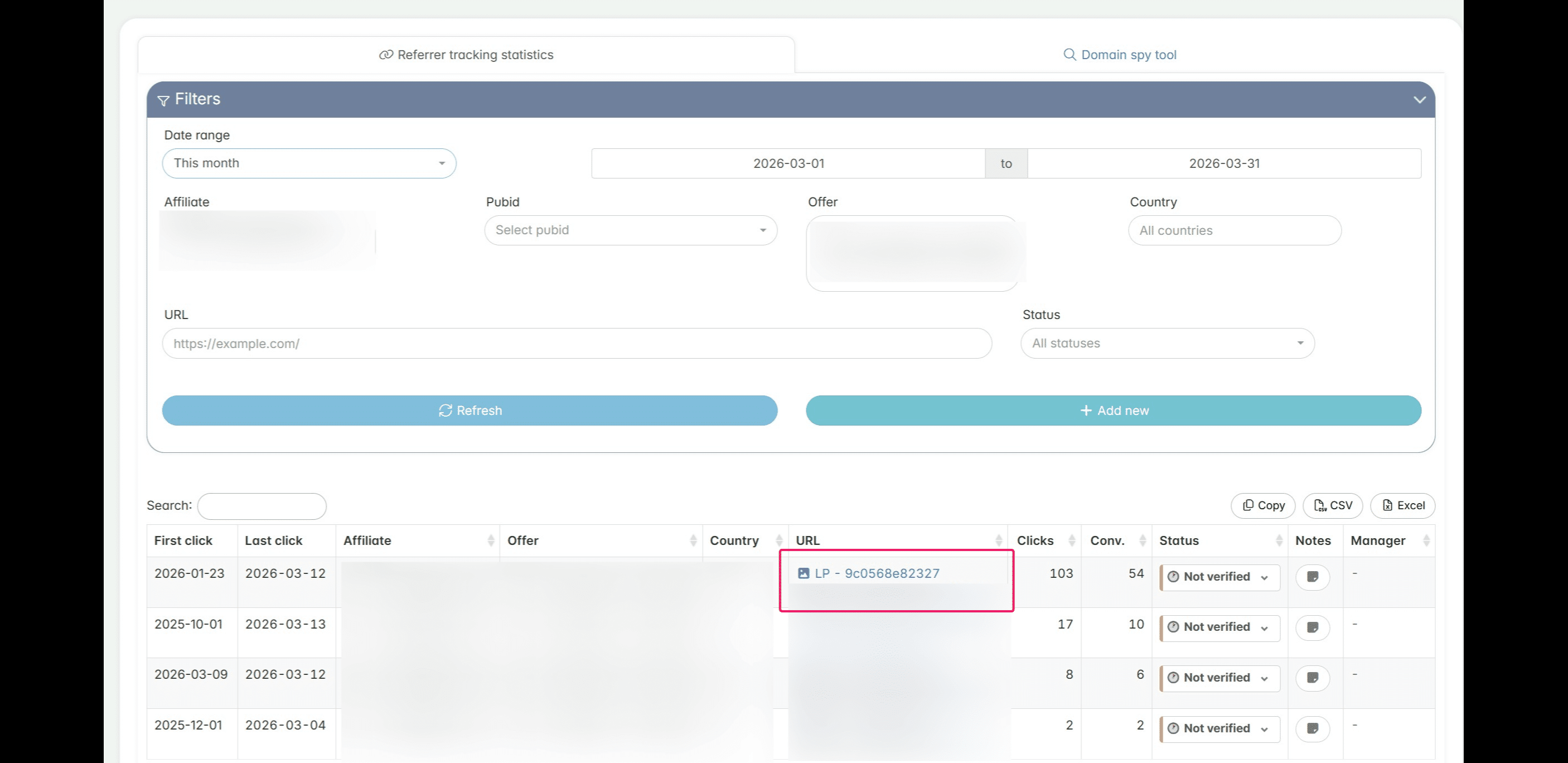
Important: TrafficManager will never expose the landing page URLs of any TrafficManager clients through this feature or by any other means (including your own landing page URLs). Protecting our clients’ data and privacy is one of our top priorities. Instead, what you and all TrafficManager clients will see is a secure screenshot of the landing page(s) that generated the sale(s). This allows you to check whether the landing page is compliant with your terms and conditions, without revealing sensitive information that could be misused or expose other clients’ assets.
Frequently asked questions
- Can I set different payouts based on traffic sources?
Yes. By identifying whether traffic originates from platforms like Facebook, Instagram, TikTok, YouTube, or Google, you can use our custom payout type to offer different rates for each major traffic source. Please check our dedicated guide for more details "How to create an offer with different payouts based on the traffic source?"
- I don't see any data in my Misleading Traffic Shield reports. What should I do?
If you have activated the feature and still don't see any data in the Misleading Traffic Shield reports, it means that your affiliates are not sending the fingerprint together with the conversions.
Please check the guide above, steps 6 to 17, for more details.
If your affiliates are sending the fingerprint (which is visible in the Fingerprint Reports section) but you still can't see any data in the Misleading Traffic Shield section, please contact our support.
- Can another TrafficManager client see my landing page URLs or my affiliates’ landing page URLs if I activate the Misleading Traffic Shield and require my affiliates to send fingerprint data?
NO. Other TrafficManager clients cannot see your landing page URLs or your affiliates’ landing page URLs. All data collected by us, including fingerprint data, landing page URLs, screenshots, etc., is strictly private and isolated within your own account. Protecting our clients’ data, privacy, and business assets is one of our top priorities.
The TrafficManager clients you work with will see a screenshot of the landing page(s) that generated the sale(s). This allows them to check whether the landing pages your affiliates are using comply with their terms and conditions, without revealing sensitive information that could be misused or expose your affiliate program assets, such as final landing pages or ad creatives used for promotion.
Our goal is to create a secure way for TrafficManager clients to collaborate while preventing any type of unfair use of this data. This helps all participants benefit from higher-quality traffic, while their assets and affiliate details remain protected.